Table of Contents
One of the best ways to learn AWS is by solving a real problem instead of following another tutorial.
I recently had an idea for a small side project. Before spending weeks building it, I wanted to know if people were actually interested. The easiest way to validate that idea was by creating a simple join waitlist where users could submit their name and email address.
There are plenty of SaaS products that already offer this service. Many of them are great, but most require a monthly subscription or have feature limitations on their free plans.
Instead of paying for one, I decided to Build a Serverless Join Waitlist on AWS using only services available in the AWS Free Tier. My goal wasn’t just saving money. I wanted another excuse to get hands-on experience with AWS services that are used every day in production.
The result was a simple, inexpensive, and fully serverless API.
Project Architecture
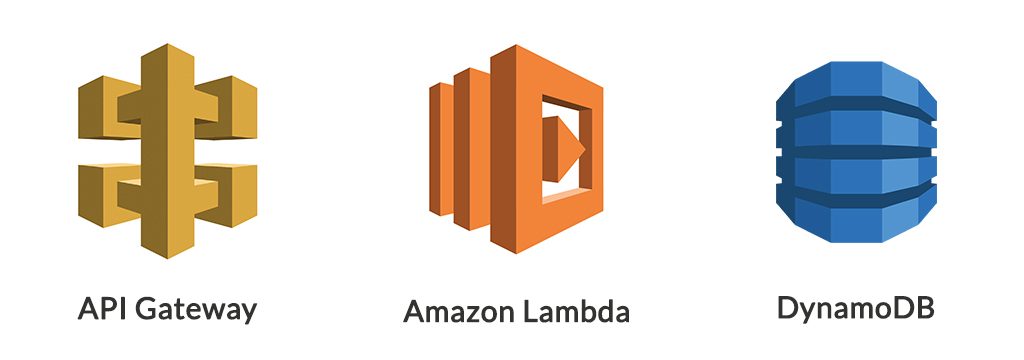
The application is intentionally simple.
User
   │
   ▼
API Gateway
   │
   ▼
AWS Lambda
   │
   ▼
DynamoDB
Each service has one responsibility.
- API Gateway receives HTTP requests.
- AWS Lambda validates and processes incoming data.
- DynamoDB stores the submitted information.
This design follows the Unix philosophy of doing one thing well while keeping the architecture easy to maintain.
Why These AWS Services?
API Gateway
API Gateway acts as the public entry point.
Instead of managing web servers or load balancers, AWS provides an endpoint that automatically accepts HTTP requests and forwards them to Lambda.
Benefits include:
- No servers to manage
- Automatic scaling
- HTTPS support
- Simple REST API creation
For a lightweight project like this, it’s an ideal choice.
AWS Lambda
Lambda is where all the business logic lives.
Whenever someone submits the waitlist form, Lambda is triggered automatically.
Inside the function I perform several tasks:
- Parse the incoming request
- Validate required fields
- Generate metadata
- Store the data in DynamoDB
- Return an HTTP response
Since Lambda only runs when requests arrive, there’s no need to keep a server running 24/7.
For hobby projects, that’s hard to beat.
DynamoDB
Every application needs somewhere to store data.
For this project I chose DynamoDB because:
- It’s fully managed.
- It scales automatically.
- No database administration is required.
- It fits comfortably within the AWS Free Tier.
Each submission uses the user’s email as the partition key while also storing:
- Name
- Creation timestamp
- UUID
That gives me enough information to manage future invitations.
Writing the Lambda Function
The Lambda function is surprisingly small.
After importing the required libraries, the function performs a few validation checks before writing data into DynamoDB.
Here’s the complete implementation.
import json
import boto3
import uuid
from datetime import datetime

dynamodb = boto3.resource('dynamodb')

TABLE_NAME = 'JoinWhiteListTbale'
table = dynamodb.Table(TABLE_NAME)

def lambda_handler(event, context):

    try:

        if 'body' not in event:
            return {
                "statusCode": 400,
                "body": json.dumps({
                    "message": "Request body is missing"
                })
            }

        body = json.loads(event['body'])

        name = body.get('name')
        email = body.get('email')

        if not name or not email:
            return {
                "statusCode": 400,
                "body": json.dumps({
                    "message": "Both name and email are required"
                })
            }

        table.put_item(
            Item={
                "email": email,
                "name": name,
                "createdAt": datetime.utcnow().isoformat(),
                "id": str(uuid.uuid4())
            }
        )

        return {
            "statusCode": 200,
            "body": json.dumps({
                "message": "Data saved successfully!"
            })
        }

    except Exception:

        return {
            "statusCode": 500,
            "body": json.dumps({
                "message": "Internal Server Error"
            })
        }
The logic is intentionally straightforward because this project focuses on infrastructure rather than complex application code.
Data Flow
Once deployed, the request lifecycle looks like this:
- A user submits the waitlist form.
- API Gateway receives the POST request.
- Lambda validates the payload.
- A UUID and timestamp are generated.
- DynamoDB stores the record.
- Lambda returns a success response.
Everything happens in just a few hundred milliseconds.
Testing the API
Testing is simple using Postman or curl.
Example request:
curl -X POST https://your-api.execute-api.region.amazonaws.com/prod/join \
-H "Content-Type: application/json" \
-d '{
  "name":"John Doe",
  "email":"[email protected]"
}'
Expected response:
{
  "message": "Data saved successfully!"
}
If either the name or email is missing, the API correctly returns a 400 Bad Request.
Things I’d Improve Later
Although this project works well, production systems usually need a little more.
Here are a few improvements I’d make.
Email Validation
Currently the function only checks whether an email exists.
Adding proper email validation would prevent invalid submissions.
Duplicate Detection
Using the email as the partition key already prevents duplicates, but returning a friendly message when someone joins twice would improve the user experience.
Input Sanitization
User input should always be cleaned before storage.
While DynamoDB isn’t vulnerable to SQL injection, sanitizing input is still good practice.
Notifications
The next step would be automatically sending confirmation emails using Amazon SES.
That would create a much smoother onboarding experience.
Infrastructure as Code
Everything in this demo can be deployed using Terraform or AWS CloudFormation.
Doing so makes the infrastructure reproducible and version controlled, which is exactly how production environments should be managed.
What This Project Taught Me
The biggest lesson wasn’t learning DynamoDB or Lambda.
It was realizing how quickly you can build useful tools using managed cloud services.
Instead of provisioning EC2 instances, configuring Nginx, installing databases, or worrying about operating systems, AWS handles nearly all of the operational work.
That lets you focus on solving the actual problem.
Projects like this are also excellent portfolio pieces because they demonstrate practical experience with cloud-native architecture rather than simply listing AWS services on a résumé.
Final Thoughts
If you’re trying to improve your AWS or DevOps skills, don’t wait until you have the “perfect” project.
Build something small that solves a real problem.
This waitlist API took only a few AWS services:
- API Gateway
- AWS Lambda
- DynamoDB
Yet it covers many important cloud concepts including serverless computing, API design, request validation, managed databases, and event-driven architecture.
The best part is that everything can run comfortably within the AWS Free Tier, making it an inexpensive way to gain hands-on experience while creating something genuinely useful.
If you’ve been looking for a practical AWS project, Build a Serverless Join Waitlist on AWS is an excellent place to start.
Read More
- Unlocking Efficiency: Harnessing the Power of Terraform and Ansible
- AWS Lambda MicroVMs: The Future of Secure Serverless Code Execution
Summary
Building your own waitlist service may seem like a small project, but it’s an excellent way to gain real-world AWS experience. By combining API Gateway, Lambda, and DynamoDB, you can create a fully serverless application that is scalable, cost-effective, and simple to maintain. More importantly, projects like this teach practical cloud architecture far better than simply reading documentation. Start small, solve a real problem, and let each project become another step toward mastering AWS and DevOps.